Xumo Play
- 3.6
- Rating
- 5.00M
- Installs
- Free
- Price

 Analysis by App-foxy
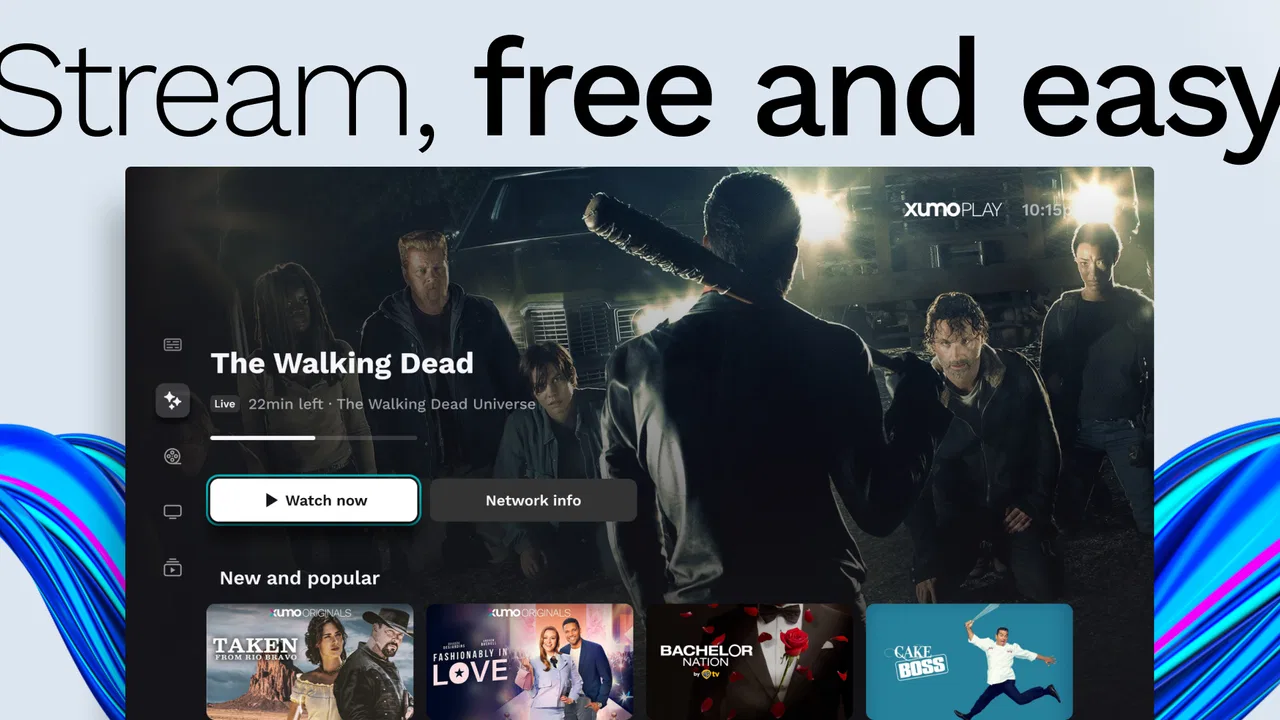
I use streaming apps differently depending on where I am. At home, I want something that starts quickly and gives me enough choice without making me build a complicated watchlist. On a phone, I care more about whether the experience remains practical when my connection changes. Xumo Play fits that casual, channel-surfing role: it is a free entertainment app from XUMO LLC that combines live network viewing with movies and complete TV series available on demand.
That combination makes it feel closer to a digital television guide than to a single-purpose subscription service. I can open it when I do not have a particular show in mind, browse what is available, or switch to a movie or series when live programming is not appealing. It is not trying to replace every streaming service in my library, and I would not treat it as one. Its value is in giving me a broad place to look before I decide what I actually want to watch.
How connectivity shapes the viewing experience
I find it helpful to think about connectivity before choosing what to watch, rather than treating every stream as equally dependable. A stable connection makes browsing and settling into a channel feel effortless; a changing one is a cue to keep the session short and flexible. That practical distinction also shapes what I do next when I move between the app, a larger screen, or another way of watching.
You May Also Like

 Google Keep - Notes and lists
Google Keep’s Quiet Growth Shows the Appeal of Simpler Notes
As mobile work gets busier, Google Keep keeps winning a simple contest: capture a thought quickly, find it later, and get on with the day.

 Blood Strike: 2.5 Anniversary
Blood Strike’s Loadouts Turn Every Drop Into a Tactical Gamble
A close look at Blood Strike’s custom loadouts: how fast access to signature weapons reshapes its battle royale rhythm, rewards preparation, and narrows the gap between fights.

 Pandora - Music & Podcasts
Pandora’s Music Is Easy to Start, but Harder to Recover
Pandora’s strength is its low-effort path from a seed to a station. Its weak spot is how much confidence it asks you to place in connection, setup, and quiet recovery.

 8 Ball Pool
 Is Built on Rivalries, Rematches, and Routine
A close look at the rivalries, rematches, shared routines, and unanswered safety questions that turn a quick pool match into a persistent mobile community.

 Samsung Music
’s Quiet Strength Is Playing What You Already Own
Its reach comes less from spectacle than from dependable access to a personal library. That simplicity is both the app’s strongest retention engine and its ceiling.

 AccuWeather: Weather Radar
AccuWeather Review: A Quick, Clear Forecast for Everyday Decisions
For everyday plans, the best forecast is the one you can understand quickly. AccuWeather makes rain timing, radar, and local conditions easy to act on, with a few trade-offs.
More From Our News Desk



Why the live-channel side works best with a stable connection
The live-network part is the most connection-sensitive way to use the app. When my internet connection is behaving normally, the appeal is immediate: I can move through a large selection of channels instead of choosing one title and waiting for a long search. That makes the app useful during meals, short breaks, or evenings when I want background television rather than a carefully planned viewing session.
The trade-off is that live viewing leaves less room for a weak or inconsistent connection. A brief interruption matters more when I am watching a channel in real time than when I am browsing menus. If the stream pauses, the experience loses the relaxed television feel and becomes a small troubleshooting task. I therefore get the most from this side of the app on a dependable home network or another connection I already trust.
What I like is the low commitment. I do not need to know the exact title of a program before opening the app. I can browse through the available networks, stop when something catches my attention, and leave just as easily. That is a different habit from opening a subscription library with one specific series in mind. The live selection is particularly useful for people who miss the simple act of turning on television and seeing what is already happening.
On-demand viewing gives me a more forgiving routine
Movies and full TV series on demand change the rhythm. Instead of joining a live stream at a particular moment, I can choose a title and start when it suits me. This is the more practical part of the app when I am fitting entertainment around a commute, a lunch break, or a short period before bed. It also makes the service less dependent on the exact timing of a channel schedule.
That flexibility should not be confused with unlimited choice. The app is free, and its catalog should be approached as a rotating entertainment selection rather than a complete replacement for every paid library. I would use it when I want something accessible without adding another subscription, especially if I am open to exploring. If I already know that I want a particular premium series, a dedicated service carrying that program will usually be the more direct option.
A useful habit is to separate browsing from watching. When I have time, I look through the on-demand area and note a few possibilities mentally rather than repeatedly opening the app only when I am ready to watch. This reduces the feeling that I am searching under pressure. It also helps me take advantage of the app’s variety instead of defaulting to the first channel or title I see.
Using it in mobile situations
On a phone, the app makes the most sense in situations where I can give the screen my attention but do not want to carry a separate television routine with me. I might use it while waiting at home for an appointment, during a quiet break, or when traveling between places with a reliable connection. The free price is important here because it lowers the barrier to trying it without committing to another monthly entertainment bill.
Still, a phone is less forgiving than a television connected to a strong home network. Mobile connections can change as I move, and crowded public networks can behave unpredictably. I would avoid starting a live channel just before an important appointment or during a journey where the connection is likely to change repeatedly. In those moments, the app is better for browsing or choosing something on demand when I have enough time to recover from an interruption.
Screen size also changes my expectations. A channel that feels comfortable in the background on a larger display may be less satisfying when watched closely on a phone. For me, the mobile experience is strongest for short sessions, casual viewing, and discovering something to continue later. It is less compelling when I want a highly immersive film experience or when I am trying to watch a detailed program in a noisy environment.
Parents and families may also appreciate that the app is marked for Everyone, but that label should not replace a parent’s own judgment about individual programs. The service brings together many kinds of entertainment, so I would still look at what is playing before handing a device to a child. The age classification is reassuring as a general app-level signal, not a reason to assume every available title will suit every young viewer.
What happens when the connection fails
Connectivity problems are where expectations matter most. If a live stream stops, my first response is to wait briefly and see whether playback resumes. Reopening the viewing screen or selecting the channel again is a sensible next step before changing anything more complicated. If other apps are also struggling, the problem is probably the network rather than this particular service.
For on-demand viewing, I prefer to begin only after the connection has settled. A title that starts successfully is not necessarily protected from later interruptions, so I would not rely on the app for a viewing situation where a pause would cause a serious problem. That includes an important live event, a time-limited break, or a place where I cannot easily reconnect.
The recovery experience is also affected by how much patience I have. Xumo Play is convenient when I can treat interruptions as minor annoyances. It is a poor fit when I need guaranteed continuity. This is not a criticism unique to one streaming product; it is the basic cost of watching internet-delivered video. The important point is to choose the app for the right situation rather than expecting it to behave like a downloaded file or traditional broadcast signal.
When troubleshooting, I keep the process simple. I check whether other internet activity works, move to a stronger connection if one is available, and restart the app only after giving the stream a moment. I avoid repeatedly tapping different channels because that can make it harder to tell whether the issue is a single stream or the connection itself. These small habits make the free service feel less frustrating during ordinary network hiccups.
Keeping data use under control
Video can consume a meaningful amount of mobile data, so I would be careful with long viewing sessions away from Wi-Fi. The safest approach is to treat live channels as a home-network activity unless I know my mobile plan can handle extended streaming. A short check on a phone is one thing; leaving a channel playing for hours is another.
There is also a practical difference between intentional viewing and background playback. If I am actively watching, the data use may feel worthwhile. If I have simply left a channel running while doing chores, I may be spending mobile data on content I am barely following. I make a point of stopping playback when I am finished rather than assuming the session will end on its own.
People sharing a limited home connection should think about timing as well. A household with several video calls, downloads, or streams may notice more interruptions when another person starts live viewing. In that setting, the app is easier to enjoy when I choose a quieter period or use a stronger connection. The free price does not remove the network cost, and that is the main budget consideration I would explain to a friend.
For travelers, I would plan around connectivity rather than assume the app will cover every part of a journey. I would use it where I have dependable access and avoid making it the only entertainment option for a long trip. A book, downloaded media from another service, or another non-streaming activity is more reliable when the signal may disappear. Xumo Play works best as an internet-based option, not as a guarantee against being offline.
How it compares with familiar alternatives
Compared with a paid subscription platform, the clearest advantage is that I can open Xumo Play without adding another recurring entertainment expense. That makes it attractive for occasional viewers, people who are cutting back on subscriptions, and households that want extra variety. The compromise is that I approach the catalog with a more exploratory mindset. A paid service may be better when I want a carefully organized library, exclusive programming, or a specific title that I already chose.
Compared with traditional television, the app gives me more control over when I open it and lets me combine channel-style viewing with on-demand movies and full series. It also depends on internet connectivity in a way that ordinary broadcast viewing may not. If my main goal is to turn on a television with no concern about network performance, a conventional source may feel simpler. If I want a free option that travels with me across compatible devices, this app has the more flexible role.
Compared with a single network’s app, Xumo Play is more useful as a general starting point. I do not have to decide in advance which one network I want to browse. That breadth is valuable when my taste changes from day to day. The downside is that a broad selection can require more browsing, and viewers who follow one particular channel may prefer that network’s own focused experience.
Who will get the most from it
I would recommend it to someone who enjoys casual discovery, wants both live-style channels and on-demand viewing, and does not want another paid subscription. It is also a sensible choice for a household that wants a simple entertainment backup. The combination of a free price, an Everyone content rating, and a large audience—more than five million installs and an average rating of 3.7 from around one thousand seven hundred ratings—shows why it appeals to people looking for accessible viewing rather than a specialist service.
My strongest everyday use case is an unplanned evening. I finish dinner, open the app, browse live networks for a few minutes, and switch to an on-demand movie if nothing fits. On another day, I may use it for a short episode during a break. That flexibility is more valuable to me than a promise of finding every program I know. The app earns its place when I want entertainment now but do not want to spend time comparing subscriptions.
I would tell a friend to skip it if they need uninterrupted viewing in places with unreliable connectivity, if they mainly watch one exclusive service, or if they expect a fully predictable catalog built around specific favorites. It is also not my first choice for a premium movie night where picture quality, continuity, and a known title matter more than free access. In those cases, a service selected for that exact purpose is likely to feel more satisfying.
What the current app details suggest
The app has been available since June 14, 2019, and the current release is version 4.9.145. It supports devices running Android 5.0 or later, which gives it a broad compatibility range for people using older Android hardware. I would still keep the app updated when possible, especially if playback or connection behavior seems inconsistent, because streaming apps depend on the relationship between the application, the device, and the network.
Its developer is XUMO LLC, and the service’s identity is clear: free entertainment built around a wide channel selection plus on-demand viewing. I do not see it as a replacement for every app on my phone. I see it as the place I open when I want to browse without paying first, when I am undecided, or when I want a second source of television-style programming.
My connectivity verdict
After using it with that expectation, I find Xumo Play easy to recommend for relaxed, internet-connected viewing. Its strongest quality is the mix of immediacy and choice: live networks give me something to discover, while movies and full series let me choose a more deliberate session. The free model makes experimentation painless, and the app is broad enough to serve different moods.
The main limitation is equally clear. The experience depends on the connection, and mobile data or unstable networks can quickly turn casual viewing into interrupted viewing. I would use it confidently on a stable home network, cautiously on mobile data, and not as my only entertainment plan in an offline or unreliable setting.
My final recommendation is simple: install it if you want free, flexible television-style entertainment and are comfortable letting the available selection guide you. Skip it if your priority is one exact premium title, guaranteed continuity, or viewing without an internet connection. For the right viewer, it is a useful everyday companion rather than a complete replacement for every streaming alternative.
With its broad reach, free access, Everyone rating, and a solid but not flawless 3.7 average across around one thousand seven hundred ratings, the app feels established enough to try without much risk. I would begin at home, test both live and on-demand sections, and then decide whether its connection demands fit my routine. That small trial tells me more than the channel count alone: the real question is whether my network and viewing habits match what this particular service does best.
FAQs for Xumo Play
01What is Xumo Play and how does it work?
Xumo Play is a free streaming service that offers a wide array of live and on-demand content. It features over 190 channels, including news, sports, entertainment, and more. The app is user-friendly, allowing you to browse and watch content without any subscription fees or login requirements. Simply download the app and start watching instantly.
02Is Xumo Play really free to use?
Yes, Xumo Play is completely free to use. The app is supported by ads, which means you can watch all available content without any subscription or hidden fees. You will experience occasional commercials during your viewing, but there are no costs involved in accessing the app's full range of channels and shows.
03What type of content is available on Xumo Play?
Xumo Play offers a diverse selection of content, including live TV channels and on-demand shows. You can find news, sports, lifestyle, movies, and kids' programming. With over 190 channels, there's something for everyone. The app regularly updates its content, ensuring a fresh and varied viewing experience.
04Can I use Xumo Play on multiple devices?
Yes, Xumo Play is available on multiple platforms including Android, iOS, smart TVs, and web browsers. You can easily switch between devices and continue watching your favorite shows. However, note that since the app doesn't require a login, you'll need to manually search for your favorite content on each device.
05Does Xumo Play require a strong internet connection?
For optimal streaming quality, a stable internet connection is recommended when using Xumo Play. While the app can function on various connection speeds, a faster connection will ensure smoother playback and better picture quality, reducing the likelihood of buffering or interruptions.
Pros
- Wide range of channels available.
- No subscription fees required.
- User-friendly interface.
- Regularly updated content.
- Available on multiple devices.
Cons
- Limited on-demand content.
- Some ads can be intrusive.
- No offline viewing option.
- Occasional streaming issues.
- Limited international channels.

Xumo Play
Gallery